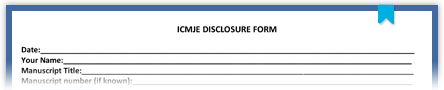
ICMJE Conflicts of Interest Form: Instructions:

Downloading the Form

The Conflicts of Interest form is a PDF which is made to be filled out with the Adobe Acrobat Reader. Do not open the form with third-party PDF readers (this includes the Apple Preview app) and do not open the form in your browser. Instead, download the form to your desktop by right-clicking this link and choosing the Save Target As... or Save Link as... command from the popup menu. Save the file to your desktop, and then open it with Adobe Acrobat Reader.

Note for Mac Users

Make sure the form does not open with the Mac Preview application. Preview can not correctly handle this form.

Date Fields

The date fields causes problems with some versions of the Acrobat Reader on some operating systems. To avoid this potential problem, do not type dates into the date fields. Instead, use the menu to select and insert dates. When you click in the date field you should see a little gray arrow at the right edge of the field. Click the arrow, and a calendar will pop up. Use the left and right arrows to find the month and year you need, then click on the day you want to insert, as shown here:

Submitting the Form

The ICMJE itself does not collect conflict of interest information. You generally include the conflict of interest form when you submit an article to a journal. Note that some journals will want a printout of the form, while others may simply require the electronic version. Check with the journal you are submitting to for specific instructions.